
Dev Log 2
My Timeline Website Research
Research Similar websites, discussing features and how/ if i should implement them
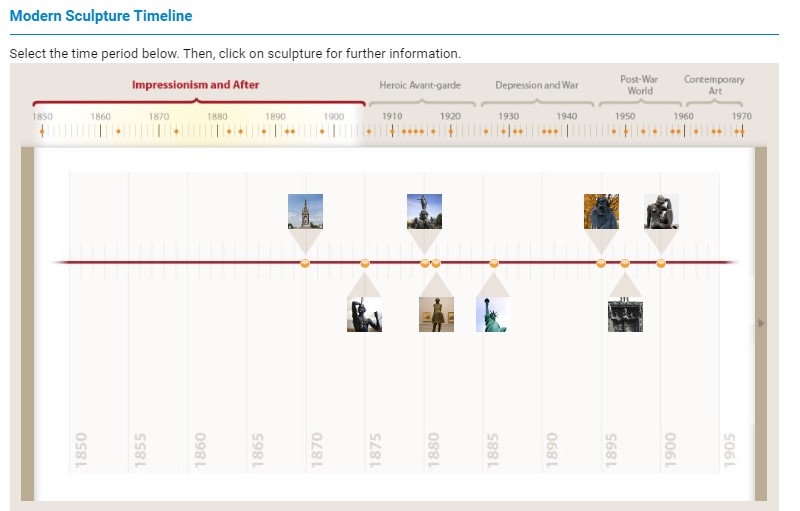
The user would click here to change between different time periods
They could then click on the part of history they wanted to explore
Timeline on sculptures (TheArtStory.org)
For my portfolio I believe this kind of style could be useful usine a dotted line as a timeline, however i dont like the horisontal timeline effect so in my actual webpage design it should be a long scrolling format.
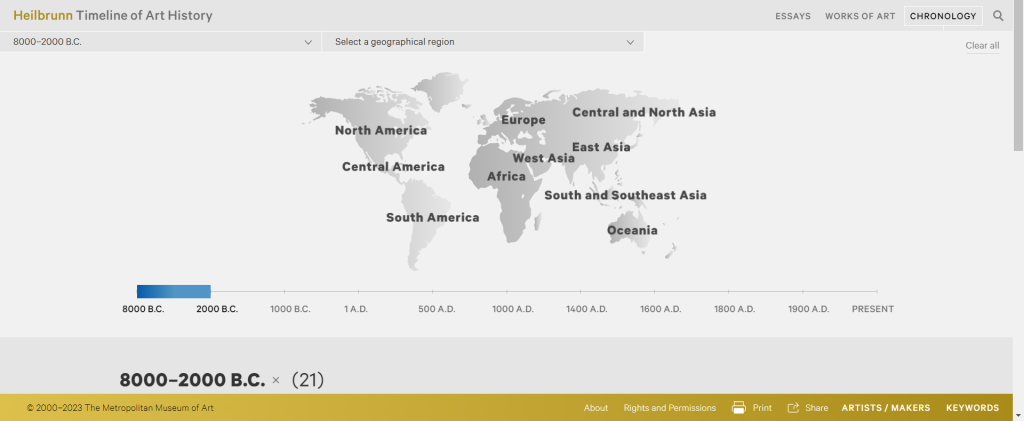
On this website the user picks a country using this map to focus on its art
They then select the time period they want to look at
This is where the filtered results will appear for example here its filtered by 8000-2000 b.c. and the results are below

Heilbrunn Timeline of Art History (Metmuseum.org)
While looking at this webpage I wanted to see how easy it was to find something specific without this advanced filtering navigation. I soon realised how important filtering and ease of navigation tools are, for a good user experience on a timeline website. Without these tools there tends to be too much information between the user and what they were looking for.
References
- Sculpture timeline (no date a) The Art Story. Available at: https://www.theartstory.org/sculpture-timeline.htm (Accessed: 09 May 2023).
Chronology: Heilbrunn Timeline of art history: The Metropolitan Museum of Art (no date) The Met’s Heilbrunn Timeline of Art History. Available at: https://www.metmuseum.org/toah/chronology#!?time=02&geo=na (Accessed: 09 May 2023).

