Development

Ideas/ Ethics

Developing on my Initial idea I chose this topic because I wanted to work on something that I could actually have seen myself or others using back when I had books like this. In fact After a bit of research into the topic it was clear that studies supported the use of AR technology in Learning, where  “Numerous studies have indicated that AR promotes enhanced learning performance.” (2. M Akçayır and G Akçayır) So despite my topic not necessarily being very academic, it is intended to highlight that the use of this technology in education of people especially those with learning difficulties who may struggle via traditional means is the way to go moving forward and should not be ignored. So from an accessibility standpoint the use of technology like this in the educational space could be invaluable, creating interactive elements that help the student retain information by presenting it in a visually interesting format. Unfortunately “Despite a significant volume of empirical research suggesting that augmented reality has a positive impact on student learning outcomes, it has not been widely adopted within education.” (3. Lima et al.) meaning at the minute the technology is not being used to its potential, so as I move on with this project I aim to demonstrate how visually interesting or interactive elements can vastly increase engagement in learning new things quicker than the original.

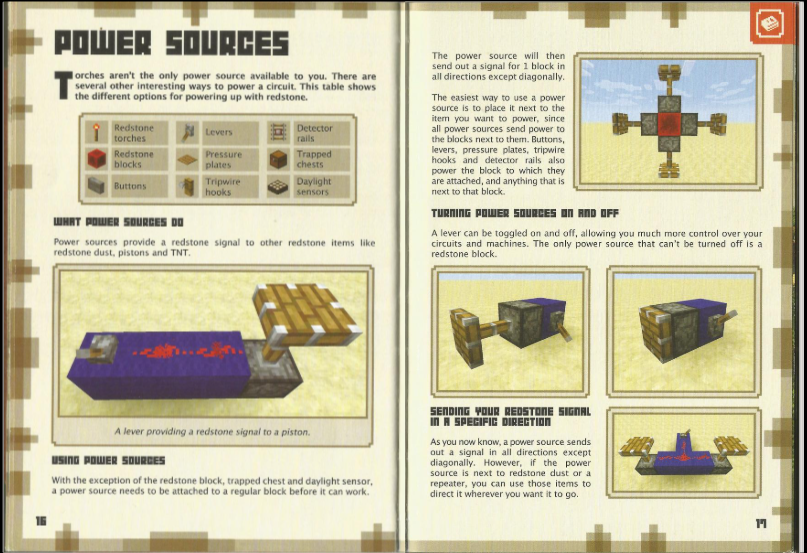
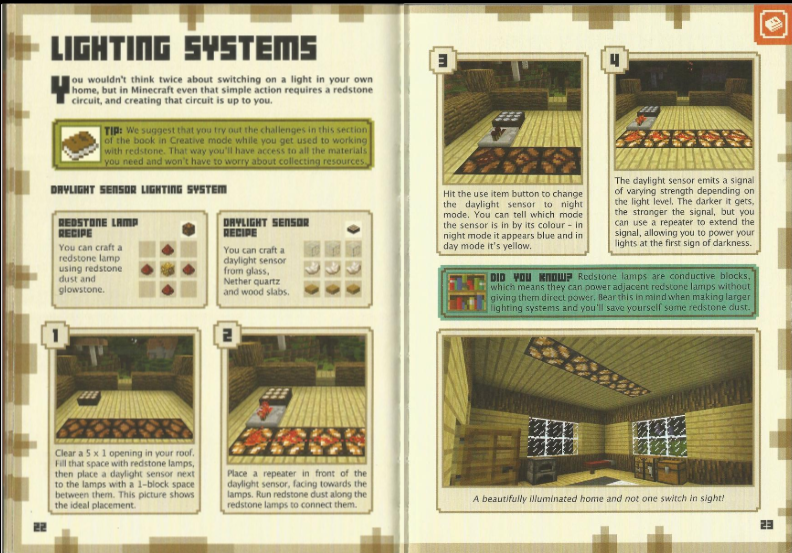
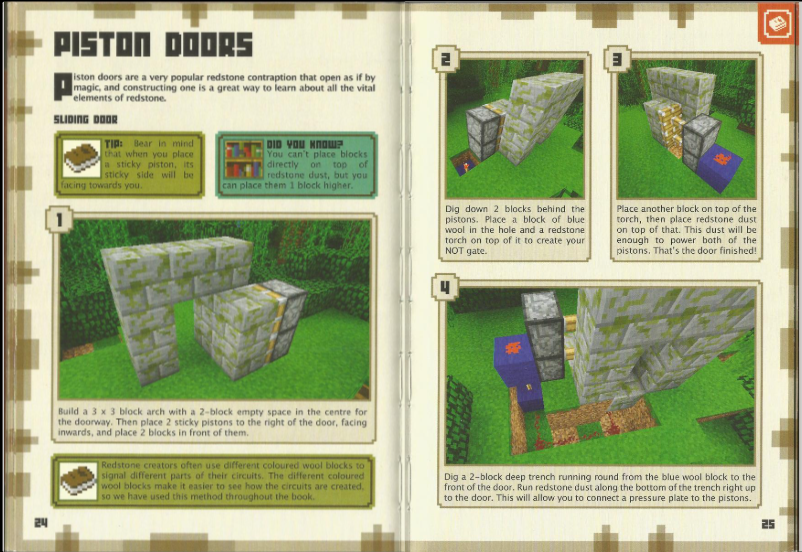
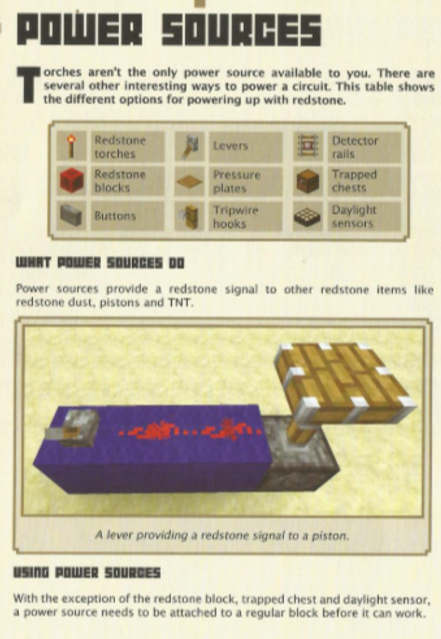
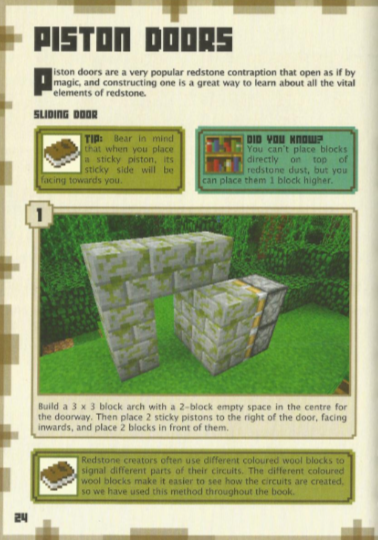
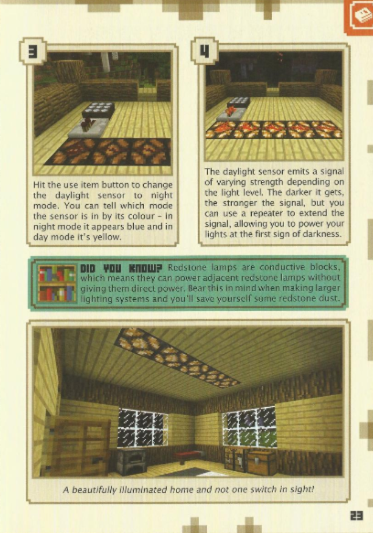
The first step in the journey of creating this project had to be finding the pages I would use to create my AR project from. Initially My plan was to create these pages myself however after spending some time discussing my project with my peers I realised the main focus of the Project isn’t’ necessarily the content itself but more the AR Element and my use of the technology in the creation of the project. So I went about finding a good resource to pull from in order to find the perfect pages to work on. In the end I decided to go for the redstone handbook,  the reason behind this decision is routed in my personal experience with these books as a child however it can be argued the books used most by the people that actually played the game would most benefit from this upgrade with the help of AR Technology especially since redstone is considered one of the more difficult areas of the game to master for new players. After finding the online book I went about selecting some of the key pages which teach the basics of redstone in the game to turn into AR elements, the idea being that new players struggling to understand purely based on pictures in the book could activate the AR and witness the Block or blocks working in 3D as they would in the game making it much easier to understand and put into practice when actually playing. Once again this could greatly help children with learning difficulties to feel included and just as able as other kids which is how education should be, accessible to everyone.

(1. “Minecraft Redstone Handbook UPDATED EDITION : Mojang : Free Download, Borrow, and Streaming : Internet Archive”)

Defining the Project Scope

When deciding on the scope of the project I had to come to terms with the limitations of the software and my current skill level, so keeping that in mind I chose to keep the pages I made into AR limited to 3 in order to give a good idea of how it could be used in the book as a whole without overcommitting and taking on too much, trying to find the balance between making an acceptable quantity of work while maintaining quality. When Planning the project I decided to split the work up into 3 sections as you’ll see on this page, Starting with defining the project what is happening when and the route meaning behind it. Then working on the practicality creating the assets and animations, then finally working in Adobe Aero/ Testing to make the book pages come to life as if right in front of you

Assets Made in Blender

Creating Assets

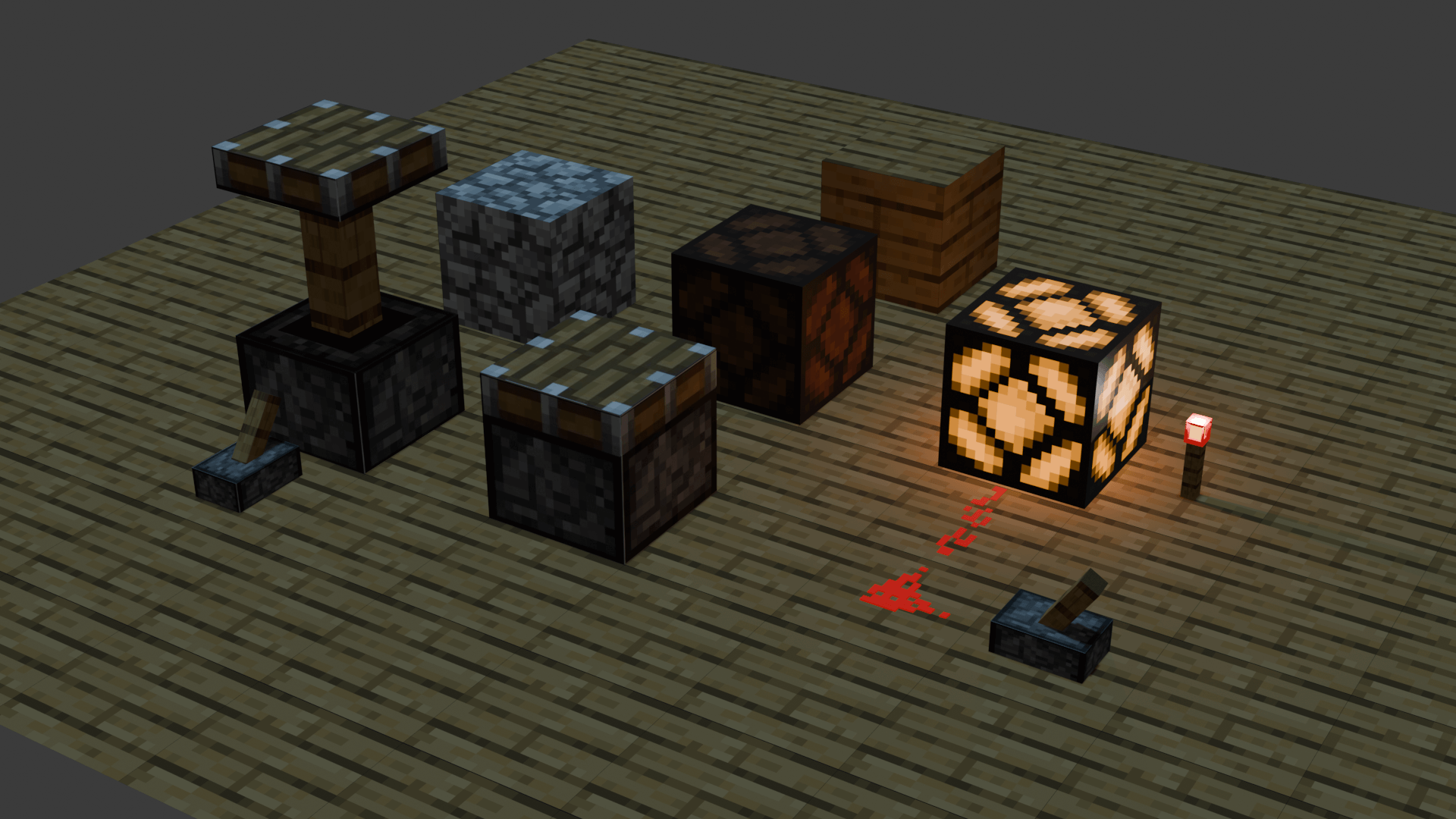
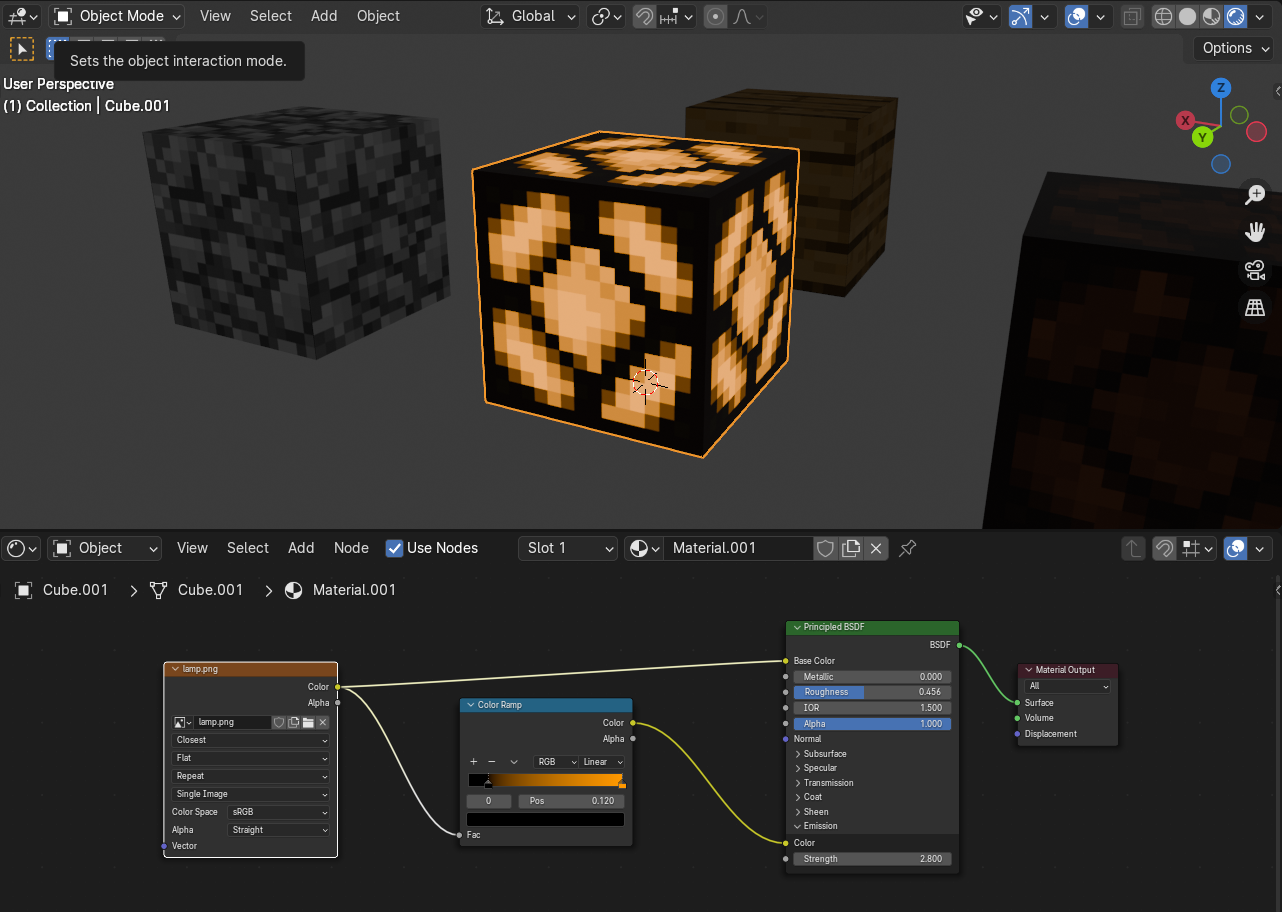
The next step in the process was to create the assets I would need in order to pull off the elements I wanted to enhance with AR. The first step being deciding which elements I should create and what I wanted them to showcase. I managed this by creating a list of elements I would need to model in order to create all the pages I needed along with what I would need them to have/do:

  • Piston Block (Needs Movement Animation)
  • Redstone Dust (Needs Block Below, an Active state and Inactive State)
  • Misc block to be used Under redstone/ Flooring block
  • Contrasting Block for use in piston door
  • Redstone Torch (ON/OFF)
  • Redstone Lamp (ON/OFF)
  • Lever (ON/OFF)


Animating Assets

When it came to animating the items I included the full range of motion for both the piston and the lever in this first animation, with the intention of the trigger being a press, In theory this would make the user feel like they themselves are the one operating the lever rather than just watching a video or seeing a photo, this once again plays into the aim of the project [Showing ways to use the technology in order to increase learning potential and information retention].

Anchor for Piston page
Anchor for Piston Door page

Finishing up in Adobe Aero

One thing I didn’t realise until late in the project is that elements with light or colour changing animations do not transfer over to Adobe Aero so some effort was wasted here in an attempt to make the animation and look of the 3D model more visually interesting, so unfortunately it cannot be been in the software. As unfortunate of a limitation as this is it did provide me with a learning opportunity, teaching me to test the limitations of the software before commiting time and effort, this is why it’s always important to test the software to find its limitations before committing to any project. Even after changing the material used I could not get the colour red to show up in Aero so this took a lot of extra Trial and error attempting to solve such issues.

Anchor for Lights page
Piston Page
Lights Page
Piston Door Page

References

  1. “Minecraft Redstone Handbook UPDATED EDITION : Mojang : Free Download, Borrow, and Streaming : Internet Archive.” Internet Archive, Mojang, 28 July 2015, archive.org/details/minecraftredstonehandbookupdatededition/page/n25/mode/2up. Accessed 20 Nov. 2024.
  2. Akçayır, Murat, and Gökçe Akçayır. “Advantages and Challenges Associated with Augmented Reality for Education: A Systematic Review of the Literature.” Educational Research Review, vol. 20, no. 1, Feb. 2017, pp. 1–11, https://doi.org/10.1016/j.edurev.2016.11.002. Accessed 26 Nov. 2024.
  3. Lima, Carlos Baptista De, et al. “A Critical Outlook at Augmented Reality and Its Adoption in Education.” Computers and Education Open, 17 Aug. 2022, p. 100103, www.sciencedirect.com/science/article/pii/S2666557322000325, https://doi.org/10.1016/j.caeo.2022.100103. Accessed 15 Dec. 2024.